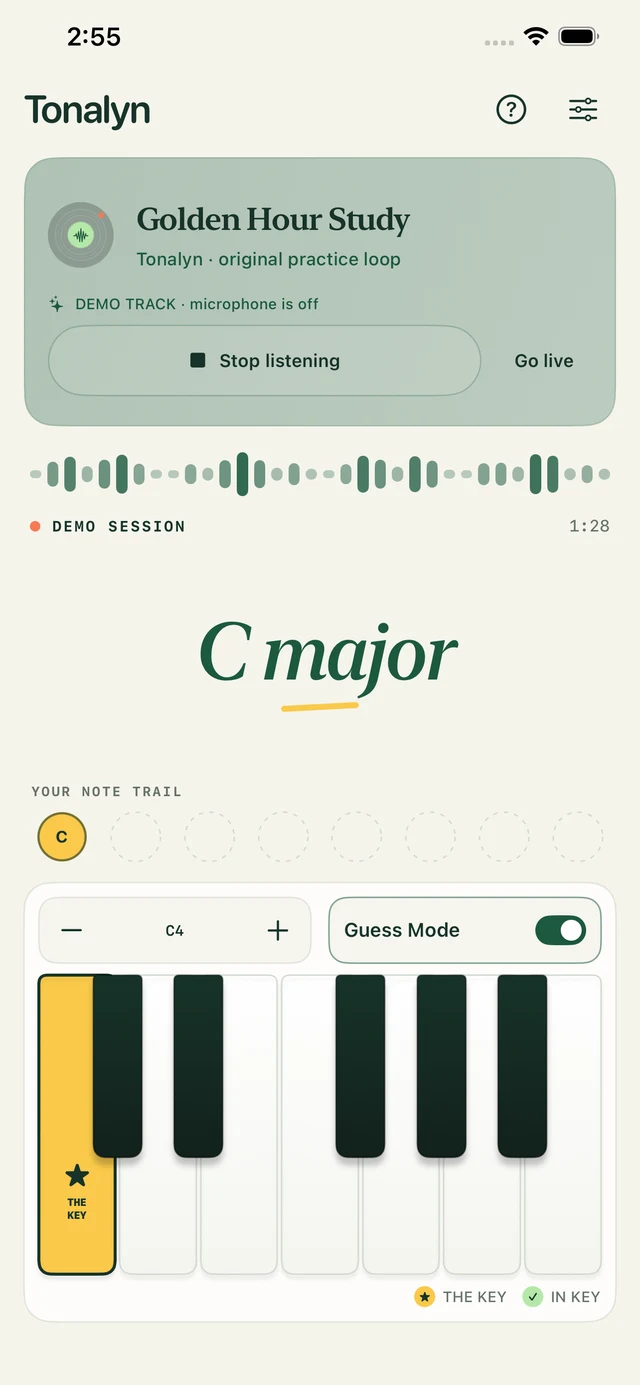
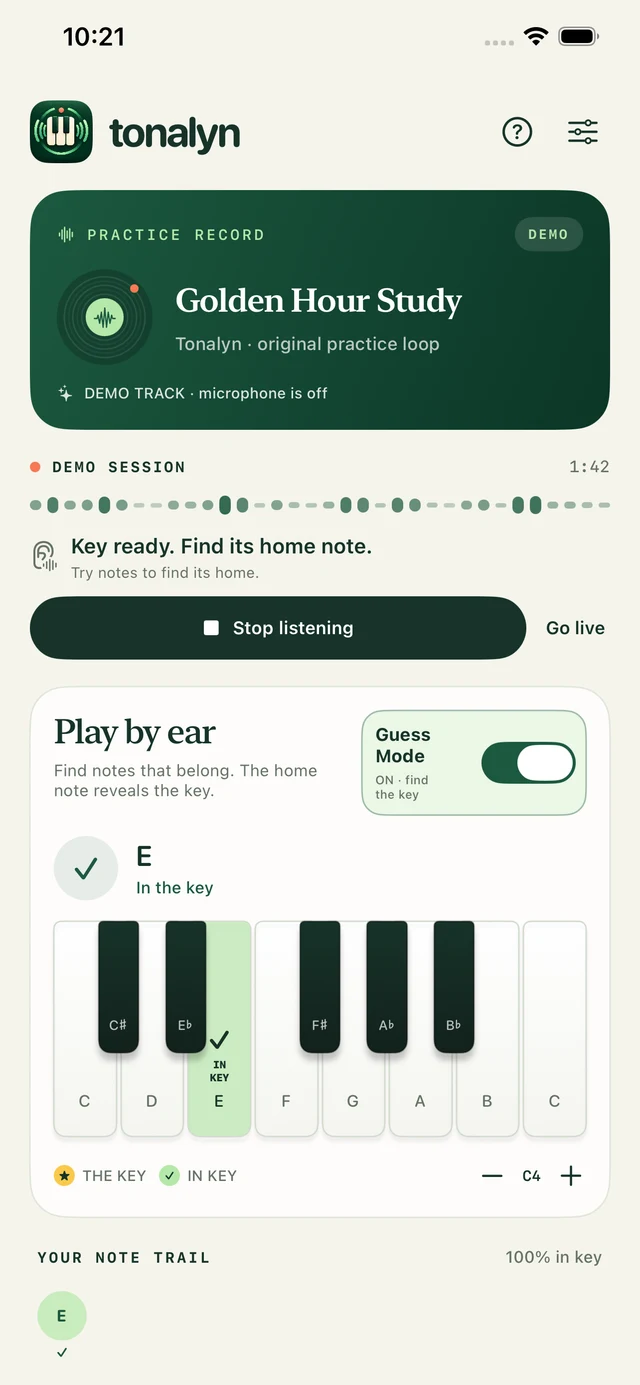
✦ The moment a note becomes a discovery.Original demo shown. Microphone is off.
Listen a little closerPlay a little freerFind your own way home
Less looking. More listening.
Your favorite kind of practice.
No sheet music. No answer up front. Just you, a song, and the joy of figuring something out.
01 / Tune in
Let the song lead.
Play music through your device’s speaker or a nearby source, then start listening. Tonalyn uses the microphone to estimate its key, while Shazam helps identify the song and artist.
02 / Explore
Trust your fingers.
Try the on-screen piano or connect a MIDI keyboard. Start with Free Play. Once a key estimate is ready, turn on Guess Mode to look for notes that belong.
03 / Discover
Find the feeling of home.
The key stays hidden as you explore. Find the tonic—the note that feels like home—and the key is revealed. Then keep playing.
Meet Guess Mode
A little guidance. Your own discovery.
Switch on Guess Mode to build your note trail. Any note in the scale counts, and you can try chords too. Free Play leaves the trail empty so you can simply listen and play.
✓ In the key
Mint marks a scale note you discovered. It stays highlighted as you keep playing.
★ The home note
Find the tonic to reveal the key. Your home note stays gold, distinct from the other scale notes.
↗ Outside the key
Coral flashes for a note outside the estimated scale. Outside notes can be beautiful, too.
Your ears have the final say.Feedback follows the estimated key, not each chord in the song.
Keep discovering. Tonalyn on iPhone. Original demo shown.
Make a little room for music
Small rituals. More possibilities.
01
Your keys. Your way.
A piano under your fingers, on screen or over USB and Bluetooth MIDI. Play notes or chords. The compact iPhone keyboard runs from C to B; change octaves with − / +. Note letters stay hidden unless you enable them in Settings.
Touch · MIDI · Optional note names02
Find your sound.
Keep the original Tonalyn Piano, or choose Grand Piano, Electric Piano or Organ. A separate keyboard-volume slider lets you balance your playing against the song.
Four sounds · Your own balance03
Just you and the music.
No account, ads or app analytics. Microphone audio stays in memory; song recognition sends an acoustic signature to Apple’s Shazam service.
Listening, playback and availability. Need a hand? Contact support.
Does it listen all the time?+
During a live session, Tonalyn keeps listening through your microphone while the app is in the foreground. Listening stops when you end the session or leave the app. You control microphone permission; the original demo and Free Play work without it.
Does it need the internet?+
Song identification uses ShazamKit and needs an internet connection. Key estimation happens on your device. If the song cannot be identified, you can still explore its estimated key. The original practice loop is also there to help you get started.
Will every note in the key sound right?+
Not necessarily—and that is part of learning to listen. A note can belong to the key without fitting the current chord, and an outside note can sound beautiful. Tonalyn offers a guide to the estimated key, not a transcription or a verdict on your music.
Can the music play on my phone?+
Yes. Play it through your device’s speaker, or listen to music from a nearby source. Tonalyn hears the sound through the microphone—it does not connect to your streaming account. Music playing only through headphones will not reach the microphone. Room noise and your own notes can affect the key estimate.
Where can I download it?+
Tonalyn is available free on the App Store for iPhone with iOS 17 or later, iPad with iPadOS 17 or later, and Mac with macOS 14 or later.
Available now / iPhone · iPad · Mac
Your next “aha” is only a note away.
The practice room is ready. Download Tonalyn free from the App Store.